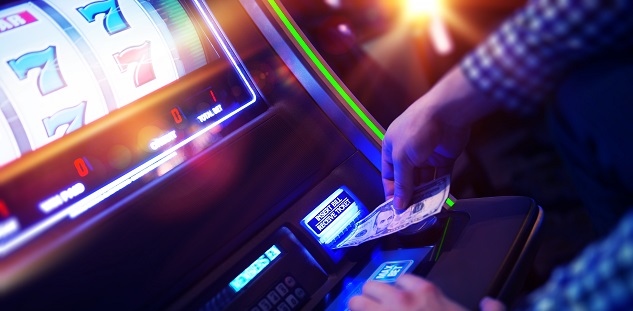
Mobile casino play has transitioned from a novelty to the primary way many New Zealanders savour their top games. Malina Casino’s app is designed specifically for this transition, giving players a uninterrupted line to the same catalogue they view on desktop, plus features that only make sense on a phone. The following sections explain the practical steps and decisions you will meet when you choose to download, install, and use the app on a typical New Zealand handset.
Selecting the Right Device and Operating System
Malina Casino’s mobile app works on the two primary mobile platforms found in New Zealand: modern Android phones and tablets operating version 7.0 or newer, and iPhones or iPads on iOS 13 or later. Before you start, open your device settings and confirm the operating-system version. If the handset is more than four years old, review storage space; the installer file is approximately 85 MB and the unpacked app occupies about 220 MB once graphics and cached game data are included. Devices that satisfy these thresholds will provide the best frame rates during live-dealer sessions and rapid loading between slot spins.
Data Consumption, Speed, and Offline Boundaries
A large share of reel games take up between 1.5 MB and 3 MB per minute after assets are cached. Live tables require noticeably more, meaning the app presents a small data counter in the top bar. When you go past a self-imposed limit, you can switch to a data-saver mode that halts background animations. The catalogue remains fully available offline only for previously loaded demo versions; real-money play requires an active connection to confirm bets with the game server at short intervals.
Installing on Android: Permissions and Sideloading
Android’s security model prevents unknown sources by default. After the download ends, go to Settings, Security, and toggle “Install unknown apps” for your browser. The installer then requests storage access so it can save the game cache. Once you grant the permission, the progress bar reaches the end in roughly twenty seconds. If you later receive an update notification inside the app, the new APK takes the place of the existing version without demanding you to redo the sideloading steps.
Setting up on iOS: Profiles and Trust Settings
iOS demands an additional verification step. After the profile downloads, access Settings, General, VPN & Device Management. You will find an entry labelled “Malina Casino Ltd.” Click on it and select Trust. This step authorises the app to function outside the App Store. The process is reversible; you can withdraw trust at any time in the identical menu if you decide to delete the software.
Security Protocols While Gaming on Mobile
Activate your phone’s biometric lock—fingerprint or face ID—so the app itself can be set to need authentication after two minutes of inactivity. Avoid public Wi-Fi for large withdrawals; instead, move to mobile data or hold off until you arrive at a trusted network. The app stores no banking details locally; each payment request pulls fresh tokens from the secure enclave, minimizing risk if the handset is lost.
Account Login and Initial Deposit Flow Within the App
Start the recently installed app and input the same email and password you employ on the desktop site. If two-factor authentication is on, the six-digit code is delivered by SMS in five seconds on New Zealand networks. Upon entry, the cashier screen shows the identical deposit options present on the website—EFTPOS, instant bank transfer, and several e-wallets. Minimum deposits start at NZ$10 for the majority of methods, and the funds show up in the balance in two minutes on average, enabling you to head straight to a game lobby without reloading the screen.
Key In-App Features That Are Different from Desktop
The mobile version includes a quick-bet slider below every table game, enabling one-thumb stake changes while the other hand grips the phone. Live-dealer streams are set to 720p to hold data usage close to 1 GB per hour, but you can increase quality to 1080p in the settings menu when you are on unlimited Wi-Fi. Push notifications can be adjusted per category: new game releases, bonus expiry alerts, and deposit confirmations. Battery-drain tests on a recent mid-range Android handset demonstrated a 7 percent drop after sixty minutes of continuous slot play at medium brightness, similar to streaming video.
Getting the App from the Official Source
The most secure route is to go to malina-kazino.com/en-nz/app2/ from your phone’s browser. The page detects your operating system and displays the correct download button. Tapping it starts the transfer over an encrypted connection. On Android the file lands in the Downloads folder; on iOS the system notifies you to open the configuration profile. Both processes need under a minute on a standard 4G or Wi-Fi link, but it is wise to keep the phone plugged in if the battery is below 30 percent.
Upgrading the App and Handling Storage
Version updates arrive as full APKs on Android and as profile refreshes on iOS. You can check the current build number in the app’s “About” screen and match it against the number listed on the download page. If storage becomes scarce, app Malina Casino, the app enables you to purge individual game caches rather than erasing the entire programme, releasing 50–120 MB at a time without logging you out of your account.
Frequently Asked Questions
Can the Malina Casino app be found on the Apple App Store or Google Play?
Unfortunately, no. Owing to regional gambling policies, the app is provided directly from the operator’s site. You fetch the file or profile manually, then carry out the on-screen permission steps outlined previously.
Can the same account be used on both the app and the desktop site?
Yes. Your balance, game history, and active bonuses are updated in real time across devices, so you can begin a session on your phone and end it later on a laptop without additional steps.
What can I do if the Android installation is blocked?
Verify that “Install unknown apps” is turned on for your browser in Settings. If the option is not there, temporarily turn off any third-party security suite, then try again the installation.
Is the app compatible with older tablets?
Devices running Android 7.0 or iOS 13 can download the software, but graphics might need to be reduced and live-dealer streams adjusted to 480p for decent frame rates.

How much data is consumed by an hour of live blackjack?
At the default 720p setting you can count on roughly 900 MB to 1.1 GB. Switching over to data-saver mode reduces that to about 450 MB while maintaining the table playable.
Are app-only bonuses available to me?
Bonuses are identical across platforms, but the app sometimes displays time-limited missions—such as “50 spins within 24 hours”—that are simpler to monitor because push notifications come through instantly.
What occurs if I lose or replace my phone?
Log in from any other authorised device. Two-factor authentication protects your account, and no banking credentials are kept locally, so a new handset can be added without reaching out to support.